
How you work with KaiTrader, step by step.
From the first trade in your journal to a focus phase: seven steps with real screens from the app.
Product tour
- 1
Bring in your trades
Enter trades by hand or upload a CSV file. With MetaTrader 5 they also arrive as a report, through the publisher or by automatic sync.
KaiTraderImport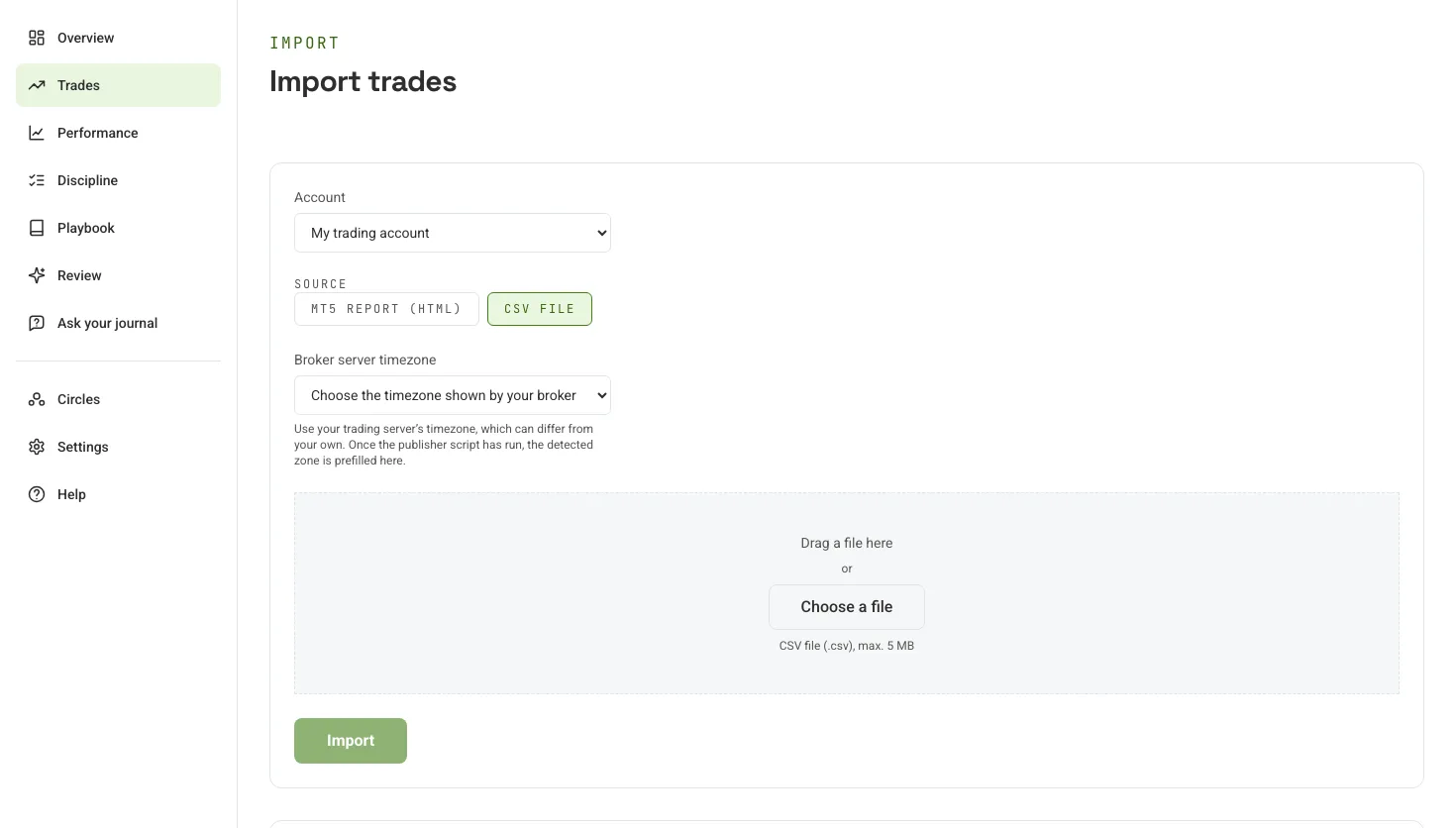
- 2
Rate the trade
Note the strategy, mood, confidence and mistakes while you still remember. A short note is enough.
KaiTraderTrade journal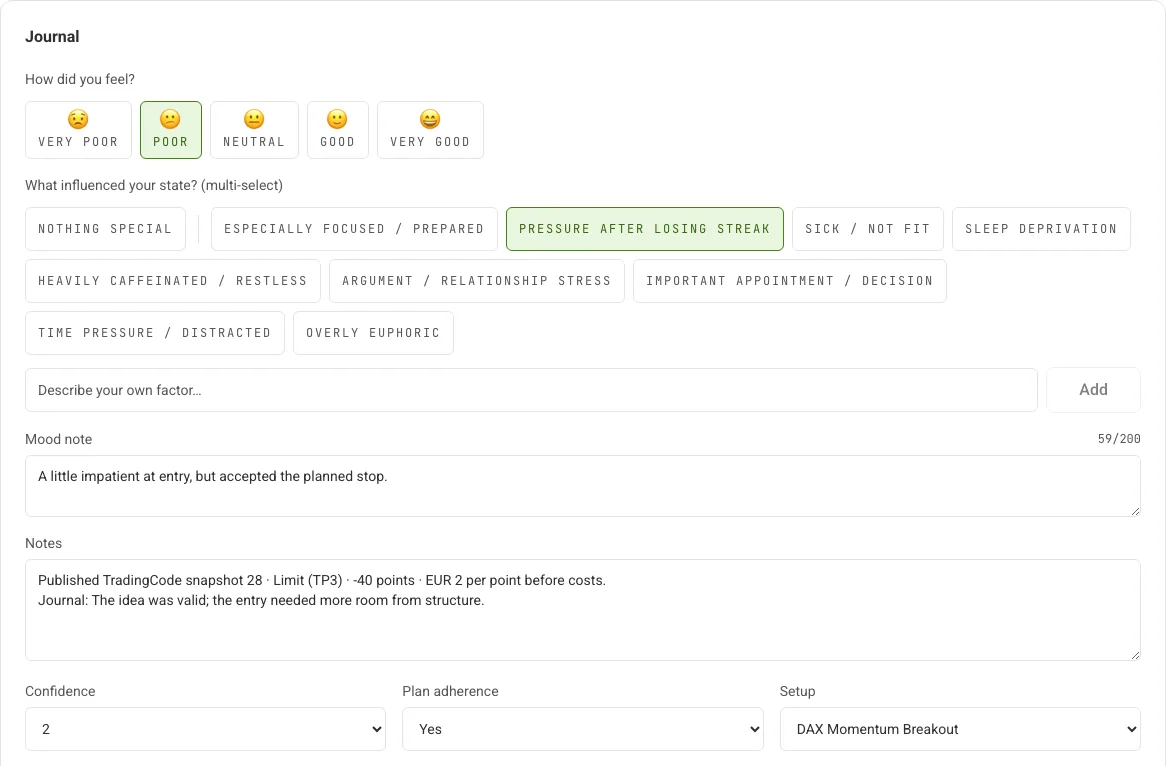
Public demo trade. Evaluation and journal context are illustrative. - 3
Read your results
The overview shows results, equity curve and calendar at a glance. For results and win rate you also see how many trades they are based on.
KaiTraderDemo overview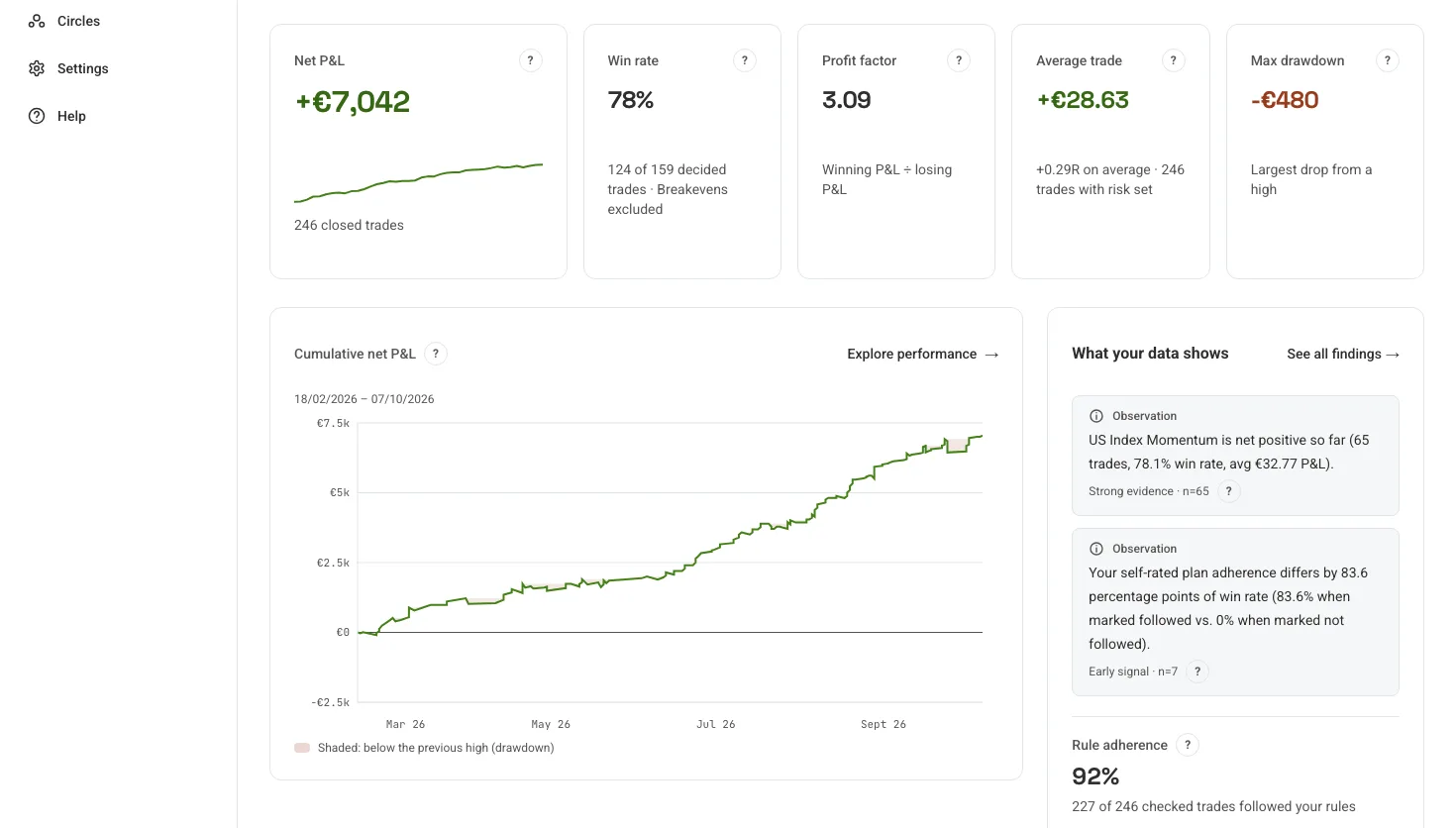
Public demo. Cash values and journal context are illustrative, not customer results. - 4
Check your plan
Write your rules into the trading plan. KaiTrader checks every trade against them and shows the result next to your own rating.
KaiTraderTrading plan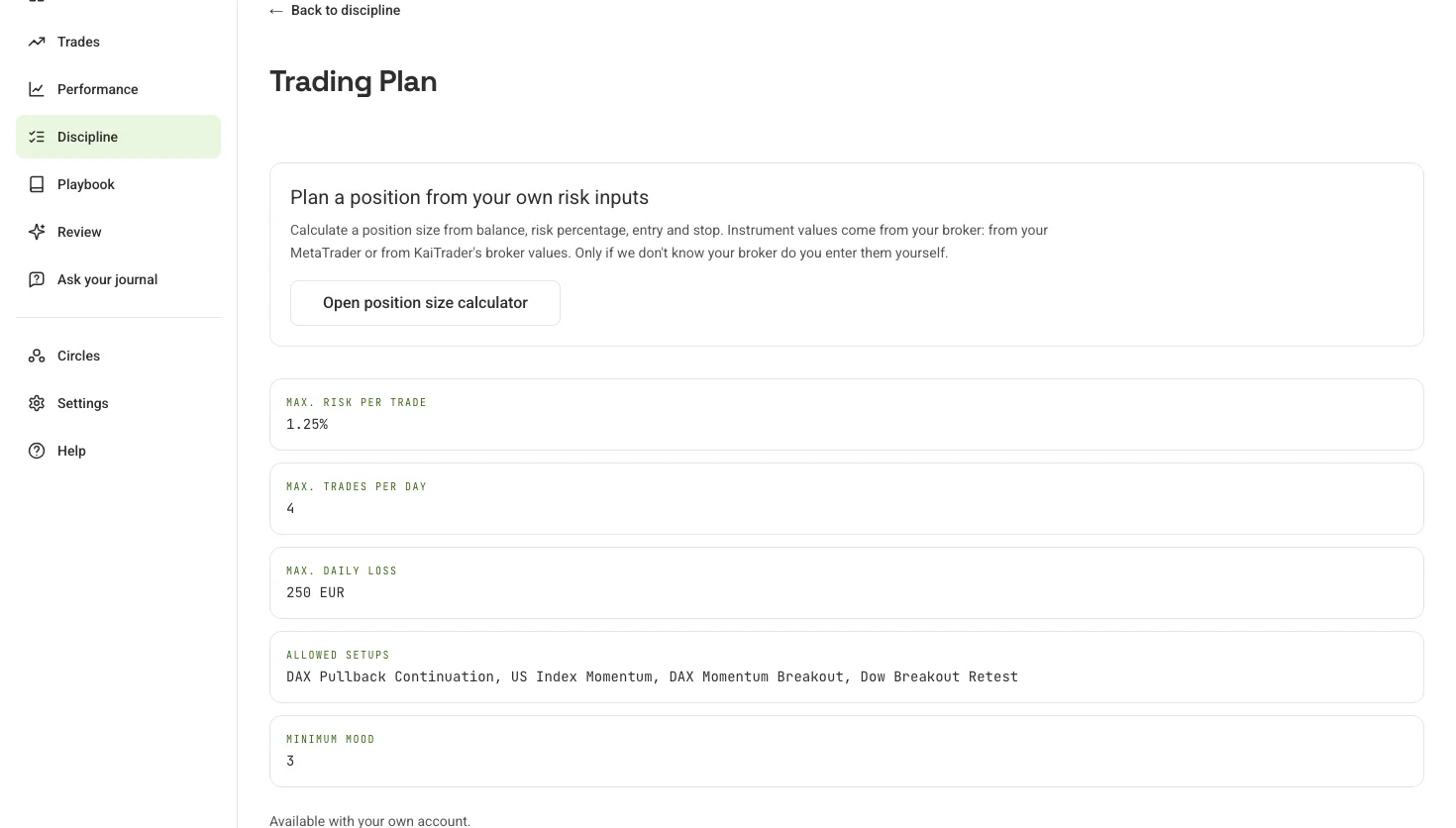
- 5
Find patterns
Ask your journal, for example how your trading went today. Kai answers looking back at your trades.
KaiTraderAsk your journal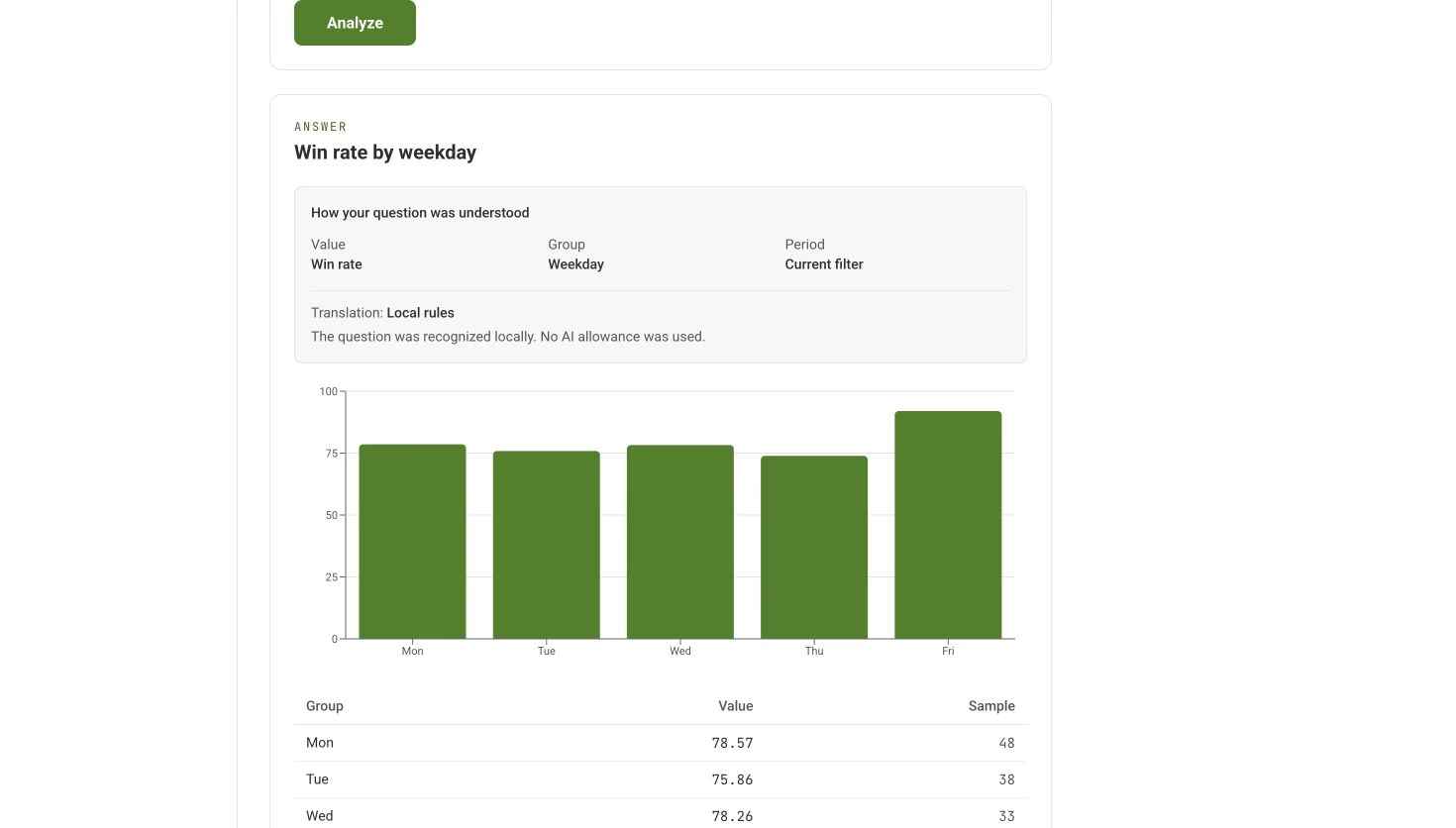
Calculated from the demo dataset. - 6
Review your week
At the push of a button the AI sums up your week, looking back only and without trading signals. The demo shows an example.
KaiTraderAI weekly review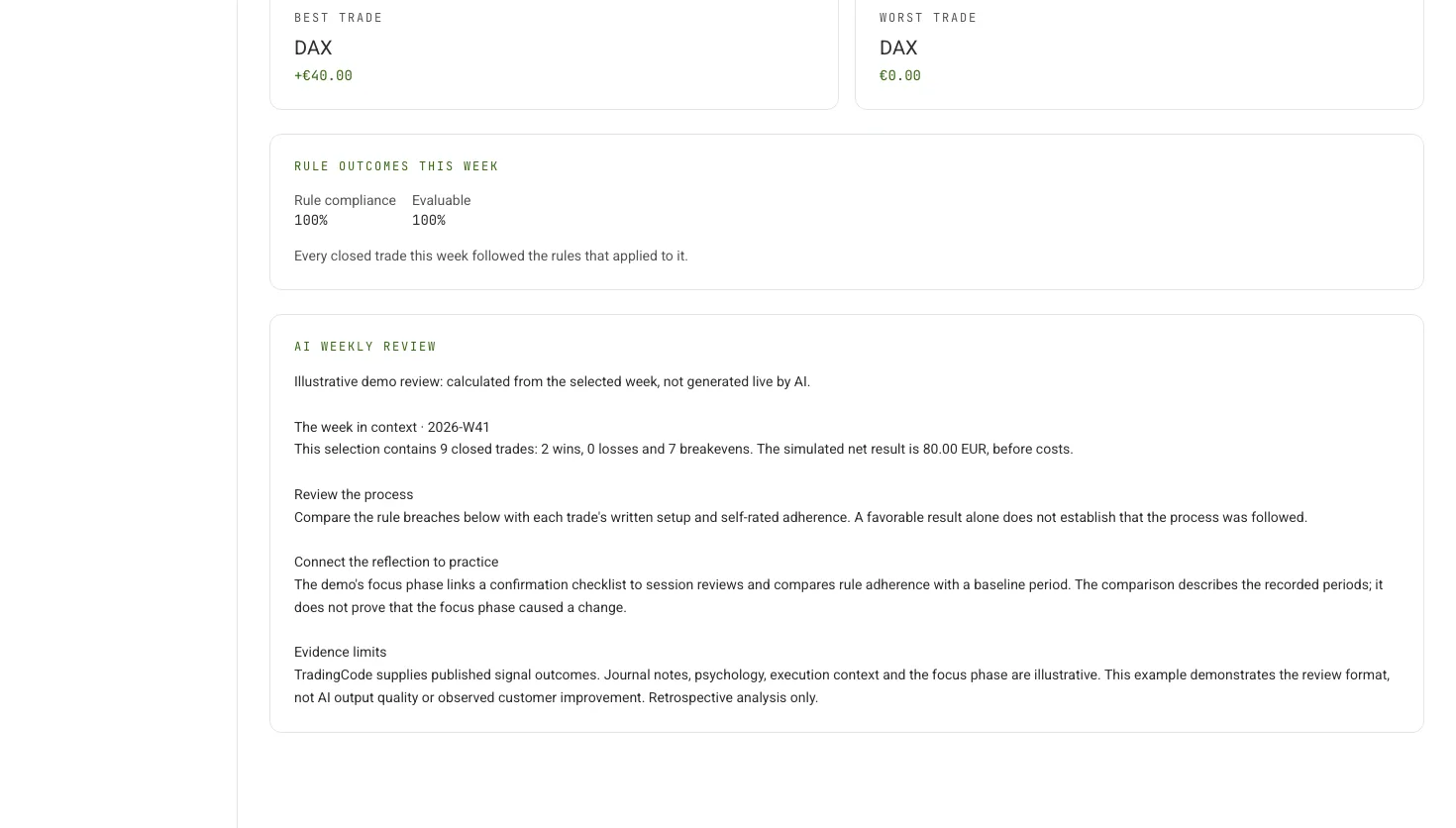
- 7
Focus phase
Pick one habit and practise it for 7, 14 or 28 days. Then compare yourself with the period before.
KaiTraderFocus phase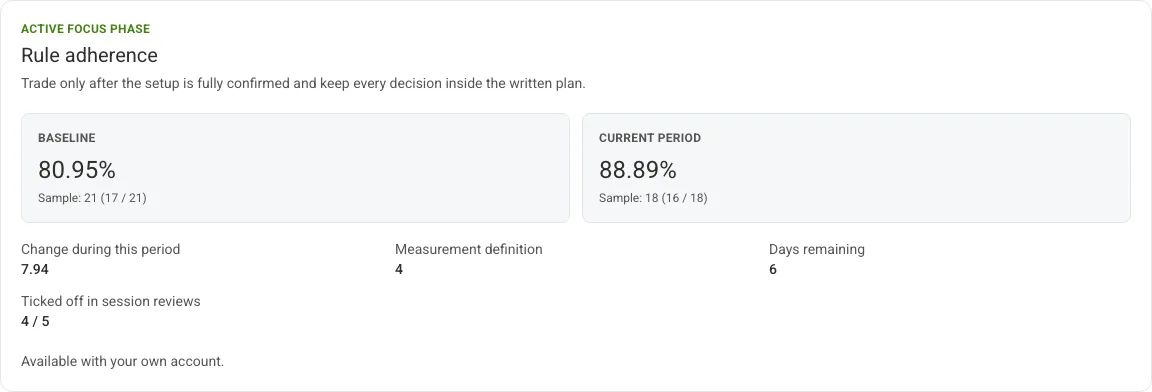
An example focus phase: pick one habit, practise it for 7, 14 or 28 days and compare yourself with the period before.
Know what you are looking at.
The demo uses historical, published TradingCode signal results solely as an example dataset for journal analytics. It does not deliver current signals or offer a signal subscription. Cash P&L is simulated at EUR 2 per point before costs; reference prices and intraday times are illustrative. Strategies, emotions, notes, rules, focus phases and MAE/MFE are illustrative demo entries, not a real trader’s journal. Example strategy names and rules are entries that users create themselves; KaiTrader does not supply trading strategies. The analytics calculate from that dataset.
The demo is read-only. Supported journal questions calculate without saving history or calling an AI provider. Imports, editing, sharing and live AI generation require a personal account.
Make your next review count.
Explore the complete workflow in the public demo. Create an account when you’re ready to bring your own trades.